Overview
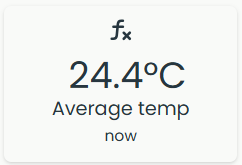
A virtual sensor is a calculated sensor: instead of measuring something directly, it computes its value from a mathematical expression using one or more real Neuron sensors in the same system as input. For example an average of two temperature sensors.
Features
- Calculation is performed every 2 minutes
- Rules can be enabled for the virtual sensor
- Calculated value can be retrieved via all available APIs
- Sensor will show as offline if one or more of the input sensors have not reported for 30 minutes
Add a new virtual sensor
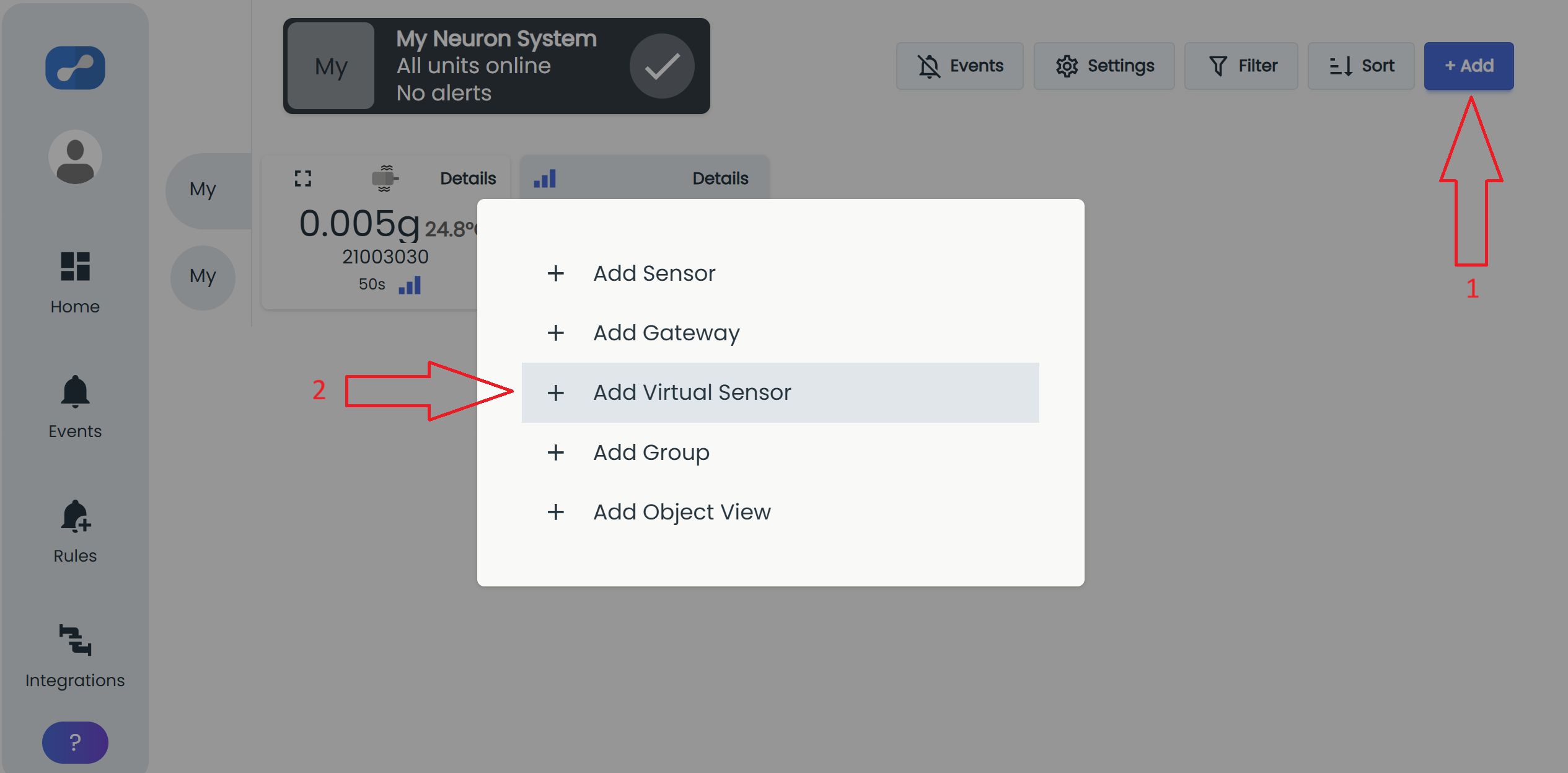
You can add new virtual sensors to a system. From inside a system:
- Click the "+ Add" button (1).
- Choose "Add Virtual Sensor" from the menu (2).
We recommend giving the sensor an alias and a suitable description as the virtual sensor will generate a unique serial number that will be hard to remember.
You can also add some tags on the sensor as explained in this article: Tags
Only admin users of the system can add a virtual sensor.
Creating a virtual sensor will require you to accept the terms and conditions, since the sensor will be subject to a license fee.
See Fee for Neuron Virtual Sensor for pricing details.
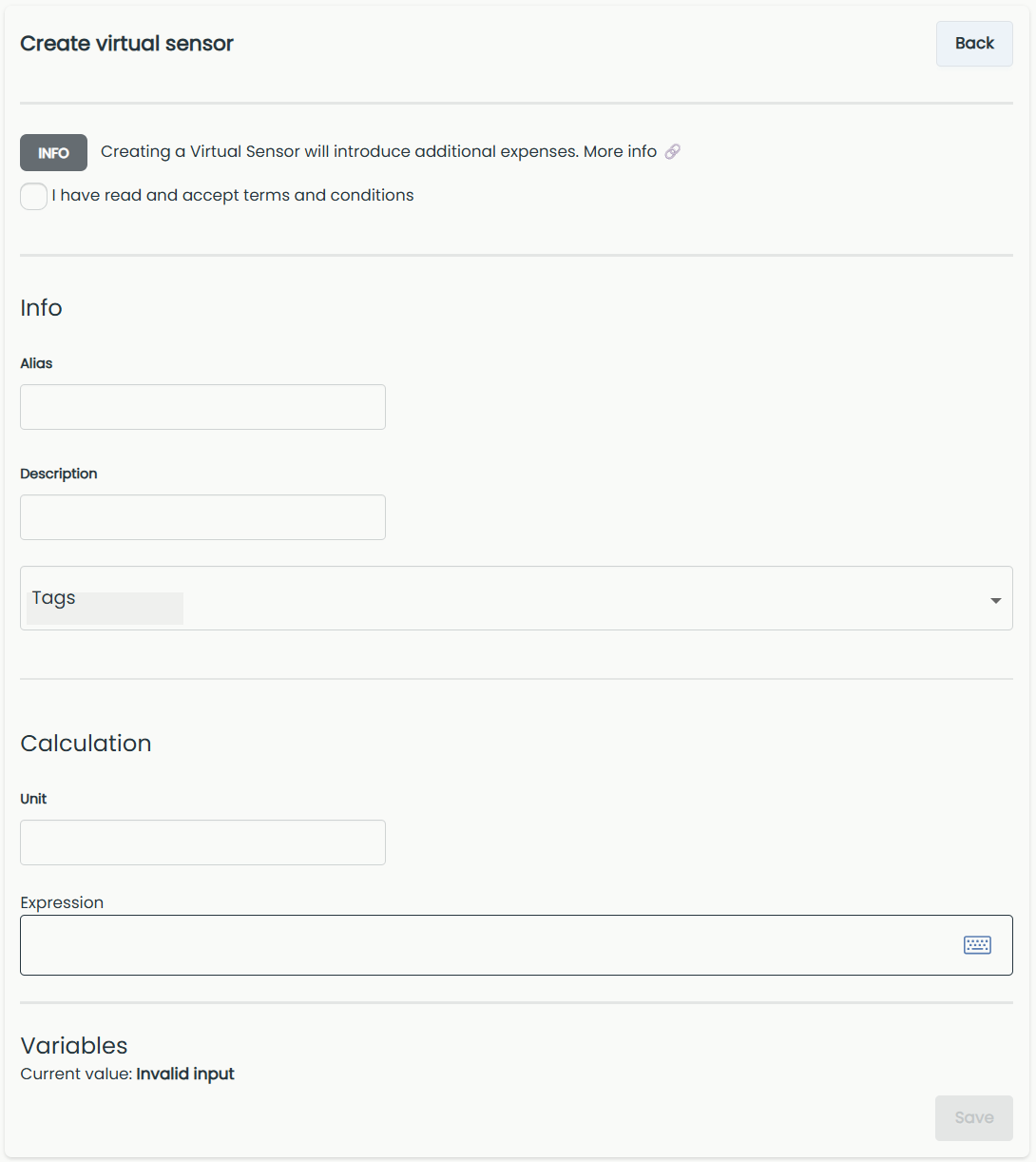
Calculation
Unit
First you need to enter the unit you would like the virtual sensor to display.
Expression
Here you will enter the formula for the calculation. This could be all kinds of mathematical formulas, with input from one or more Neuron sensors. Example below shows an average calculation of two temperature sensors. Entering letters like A and B will enable variables where you choose which sensors to get data from.
The system might change the expression to a simpler form when saving.
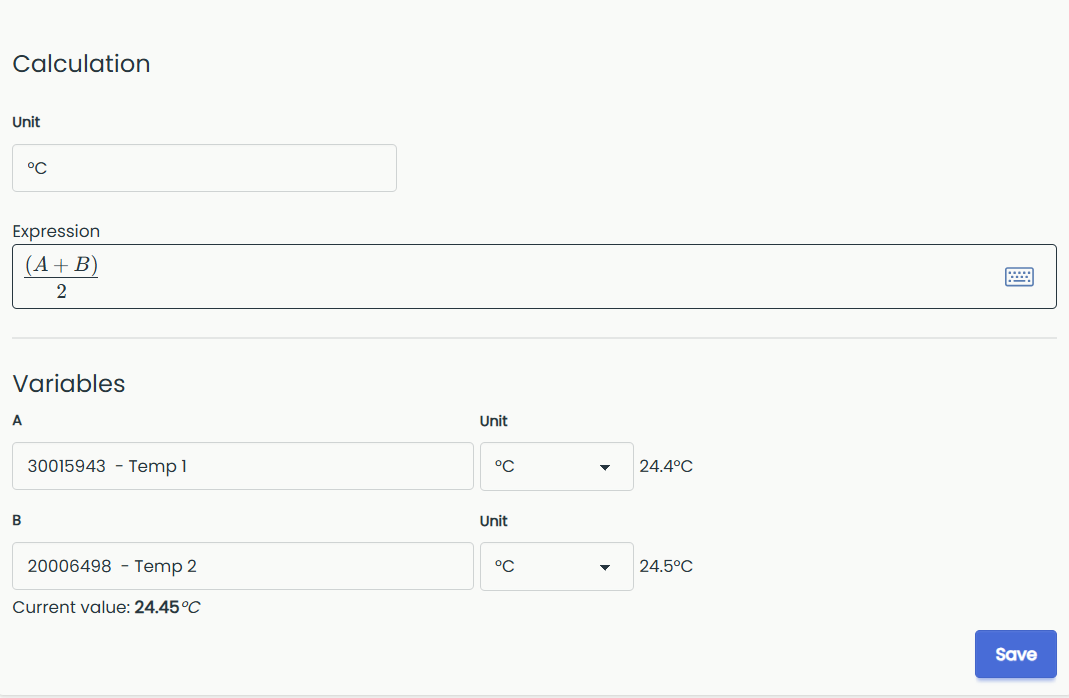
Variables
Choose which sensor(s) to use in the formula. You will only be able to use sensors registered to the same system.
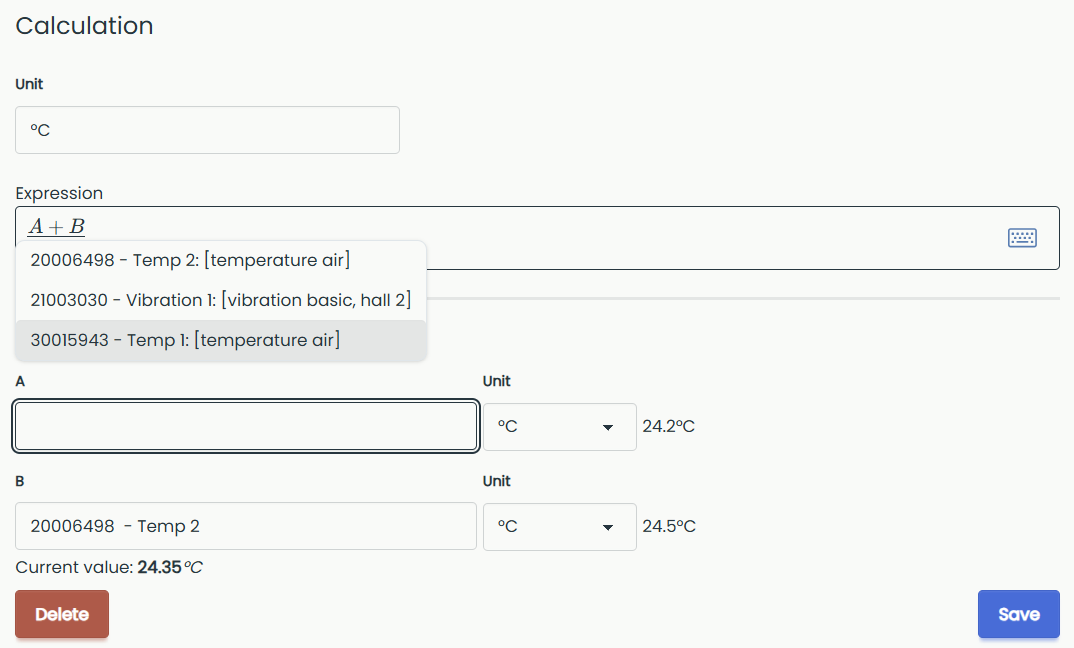
Below the input field a handy preview of your current value is displayed.
When you are satisfied with the expression and variables, click "Save" to create the virtual sensor.
Sensor tile
While waiting, the sensor tile appears offline and shows Waiting for data until all sensors in the calculation have reported fresh data.
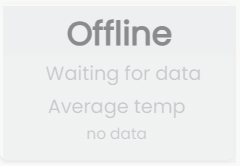
Once all sensors have reported and the calculation is performed the tile will show calculated value.