Overview
A PO (purchase order) number is an optional reference you can attach to a system. Because each system generates its own license invoice, the PO number is carried onto that invoice. This makes it easy for your finance or purchasing team to match the invoice to the correct internal purchase order.
A PO number is not required to create or use a system. You can add one at any time, or leave the field blank.
Setting the PO number
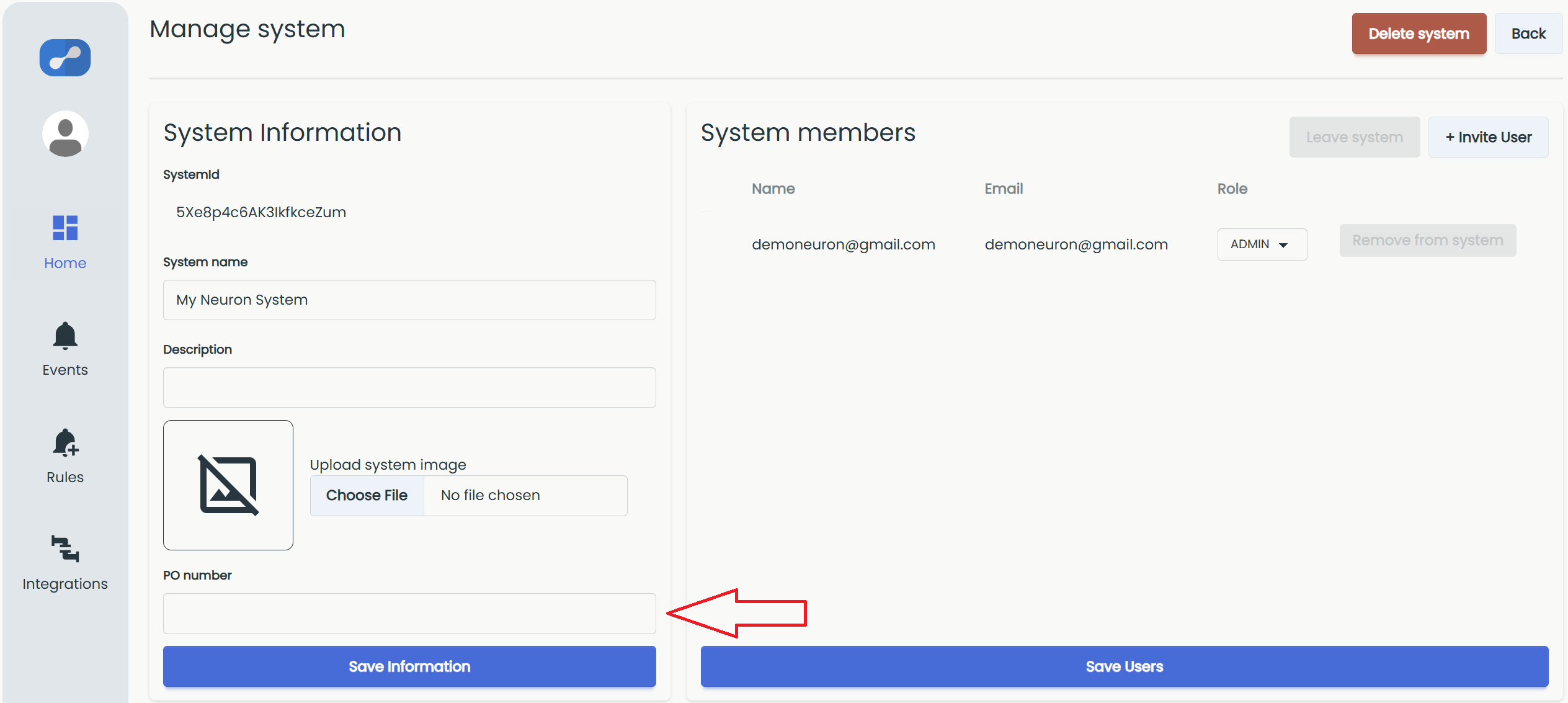
The "PO number" field is part of the System Information section. You can fill it in when creating a system, or add or change it on an existing system at any time.
To edit it on an existing system, click the Settings gear from inside the system and choose System settings.
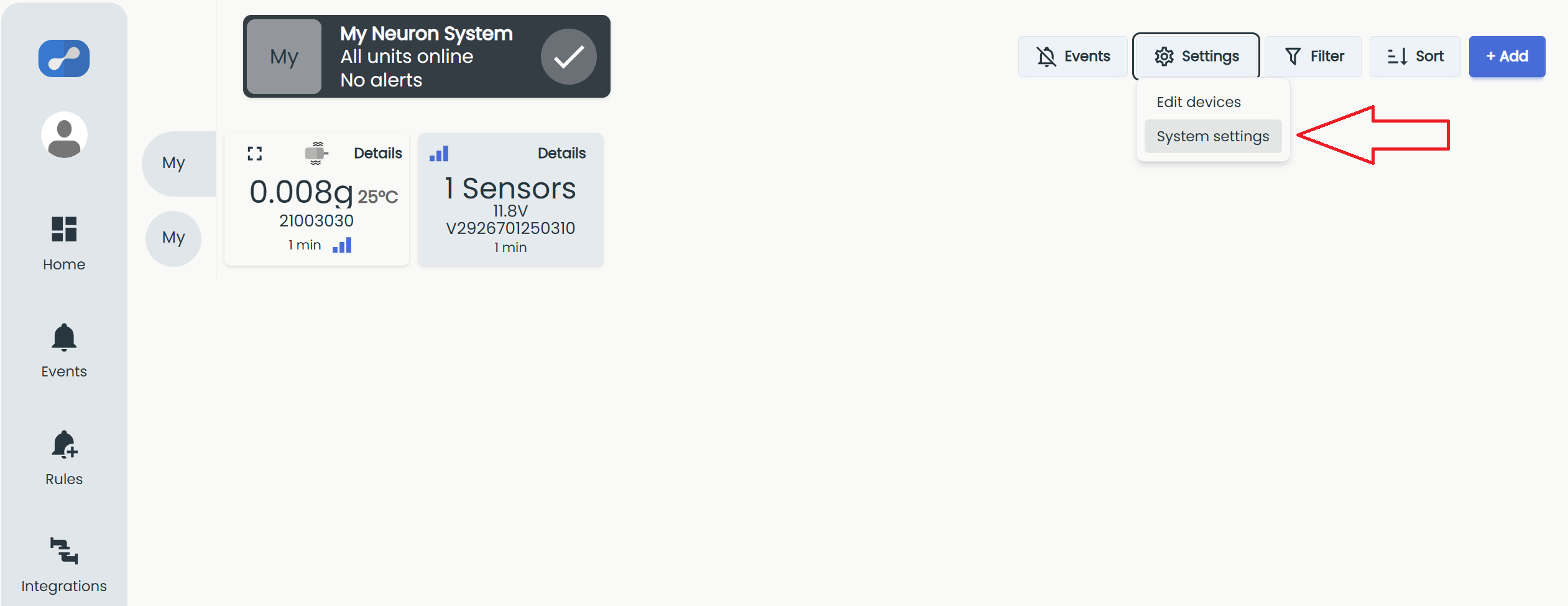
This opens the Manage system view. Enter or update the "PO number" field in the System Information section, then click Save Information to save your changes.
Where the PO number appears
The PO number is included on the system's license invoice. For more on how systems are billed, see License fee and invoicing.