Gateway Details
Open the gateway details to view more detailed information about your gateway.
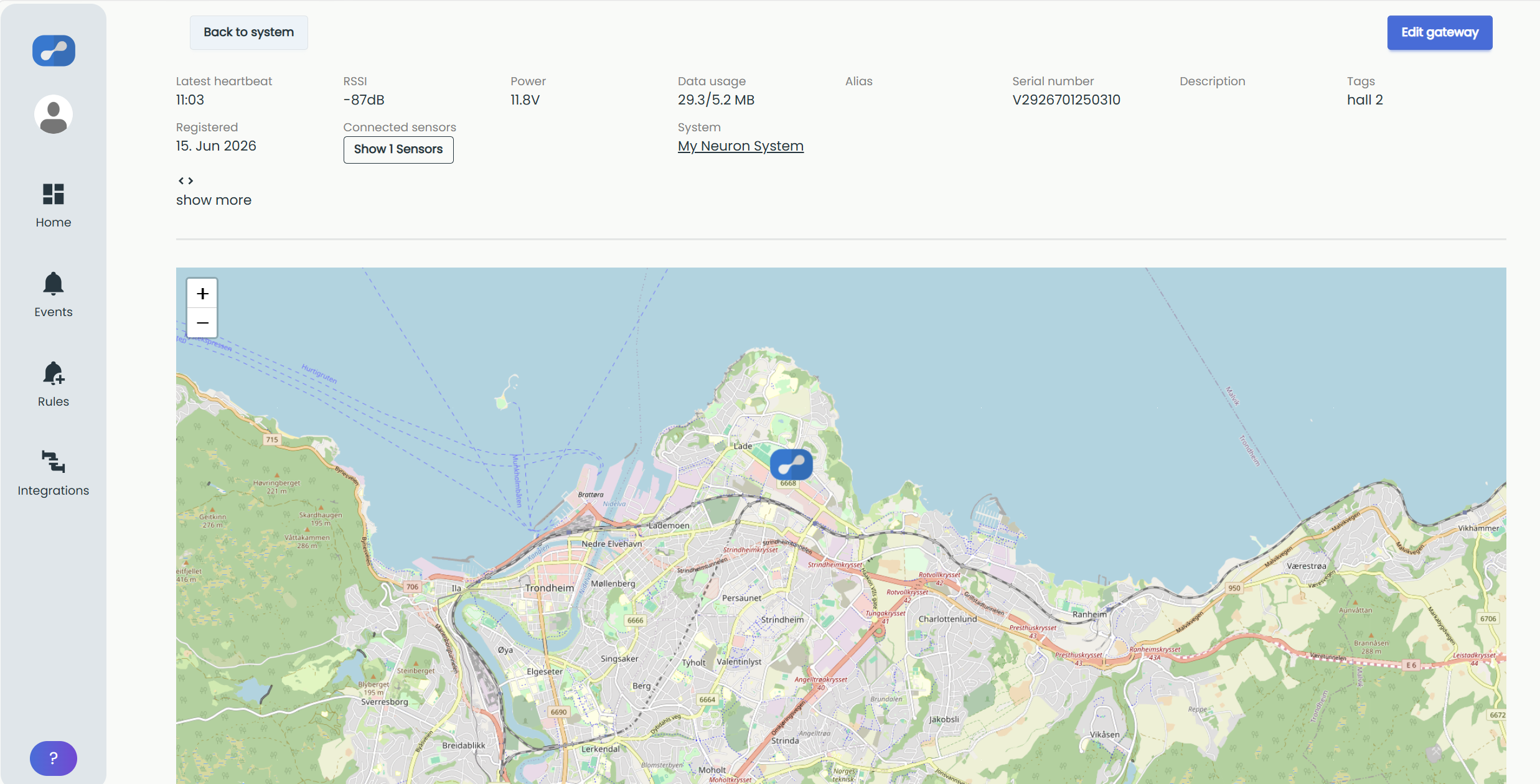
Latest heartbeat: The gateways send a heartbeat on startup and every 15 minutes after that.
RSSI: Cellular Signal Strength in dBm. A more positive value equals a better connection. Read more about installation and dBm in the Cellular Gateway mounting guide.
Power: The voltage measured from the gateway's power supply.
RSSI and Power are updated with every heartbeat (every 15 minutes).
Data usage: Updated every 3 hours and reset every month.
Alias: The gateway's nickname in your system. Use an alias that makes it easy to understand what it does or where it's located.
Serial number: The gateway's unique serial number.
Description: A brief description of what the gateway's purpose is or where it is located.
Tags: Short tags for filtering and building groups. Makes organizing sensors and gateways much easier.
Registered: The gateway's registration date.
Connected sensors: Number of sensors that sent their last sample through this gateway. Press to view sensor details.
System: System name of parent system. Press to open system view.
show more: Press to view advanced details.
Map: Location of gateway.
Location has to be added manually in the gateway's Edit gateway page, or the map will not show. Read more about setting the gateway location.
With show more expanded:
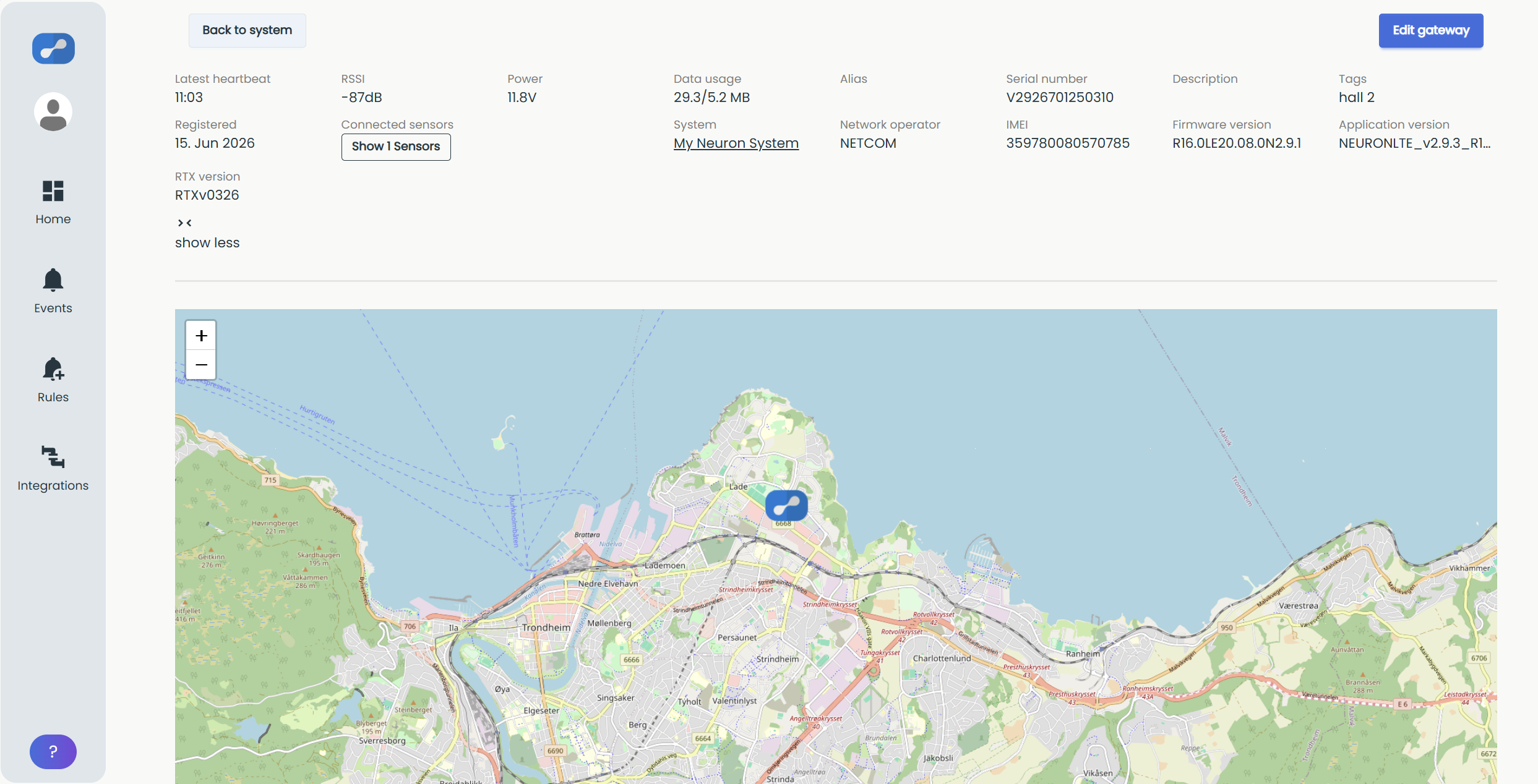
Network operator: Currently connected network operator.
IMEI: IMEI number of cellular module.
Firmware version: Firmware version installed on gateway.
Application version: The application version running on the gateway.
RTX version: Neuron radio application version on gateway.
Network operator, Firmware version, Application version and RTX version is updated every 3 hours and synced with the "Data Usage" update time.
RTX version "RTXv0325" or higher is needed to activate Neuron Actuator.